
Products
NAVOO Digital Guide
Your property
Prices
Console NAVOO: the control panel for your property
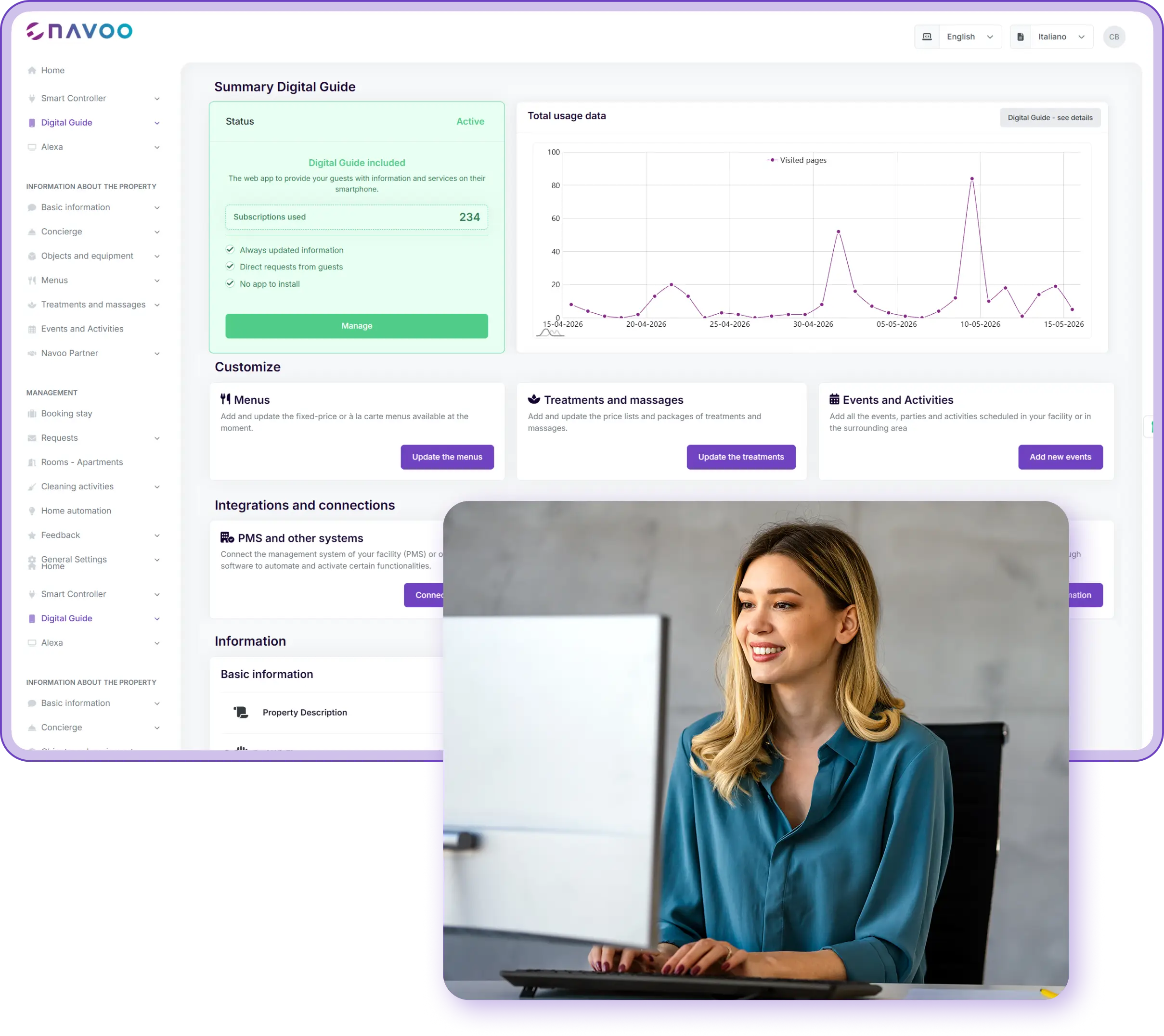
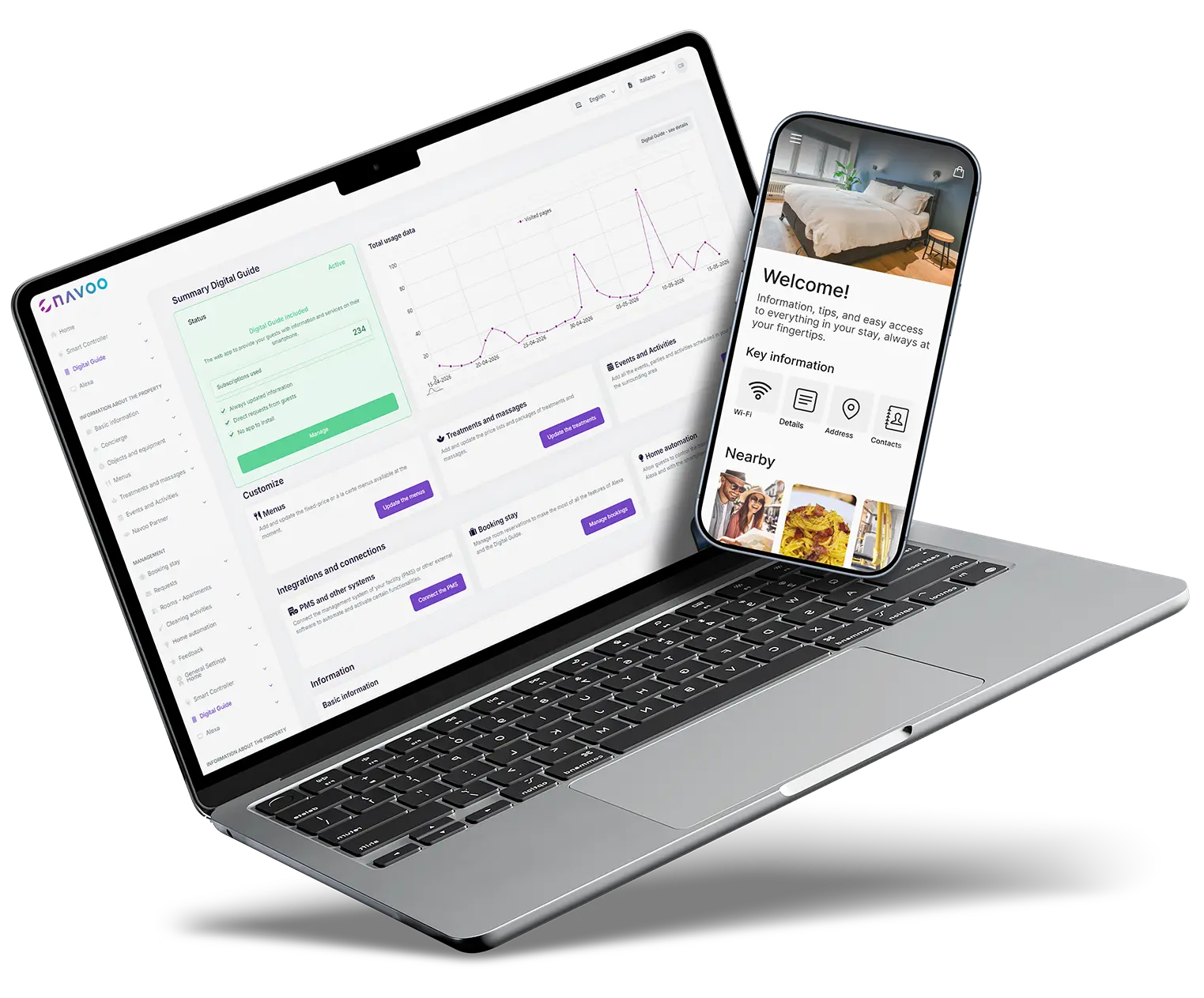
Console NAVOO is the control panel where you manage NAVOO Digital Guide. It opens from your browser, with no installation required.
Whether you manage a hotel, a B&B or a vacation rental, you can set up content, integrations and automations in just a few minutes, with no technical skills required.
Everything you need is already included
Console NAVOO brings together all the operational features you need every day in a single dashboard.
Configure and update all the content in the guide with just a few clicks.
- Update text, schedules, rules and useful information
- Enable or disable sections and modules
- Automatic content translation into 5 languages
Requests and reports
Receive and manage guest requests directly from the dashboard.
- Real-time notifications for every request
- Track the status of each request
- Complete history for analysis and improvements
PMS connection
Connect your management software and automatically sync booking information with the digital guide.
- Real-time reservation synchronization
- Compatible with the leading PMS systems in the industry
- Guided setup, no complex configuration required
Usage statistics
Track how guests use the NAVOO Digital Guide and optimize content based on real-time data.
- Sections most frequently viewed by visitors
- Number of visits by property or period
- Most frequent questions from guests
Manage multiple properties
Manage hotels, B&Bs, apartments and multiple properties all from the same Console NAVOO.
- Separate content for each property
- Change the layout with a single click
- Separate statistics for each property
Smart devices
From Console NAVOO, you can configure the devices guests can control directly from the guide.
- Lights, temperature control and other devices guests can control from the guide
- Choose which devices to make available to guests
- No additional apps required for guests
Manage Smart Controller from Console NAVOO
With Smart Controller, Console NAVOO becomes the control panel where you manage your property’s devices, sensors and automation systems.
Set rules for lights, heating and air conditioning, including based on check-in, check-out and specific times.
Connected devices
Control lights, heating, air conditioning and other compatible devices all from the same Console NAVOO.
Automation
Set rules to turn devices on, turn them off or adjust them at the right time, without constant manual intervention.
Check-in, check-out, and hours
Set up automations based on guest check-ins, check-outs or your property’s scheduled times.
Console reports
Check Console NAVOO for reports about connected devices, sensors and automations that need your attention.
Sign up for the newsletter and activate NAVOO Digital Guide:
the first month is free.
Here's how it works (in 3 steps)
From creating the guide to daily management, Console NAVOO guides you through every step quickly and easily.
1
CREATE THE GUIDE FROM CONSOLE NAVOO
Enter your property information and activate the sections you need.
2
The Guide updates
AUTOMATICALLY
Every change is immediate: guests always see the most up-to-date information.
3
Monitor, manage, and improve
Track incoming requests, review statistics, and refine your content based on how guests use the guide.
Before and after NAVOO: what really changes
- Information is scattered among chats, notes, and papers
- Each update involves multiple steps and different systems
- Staff members do not always know what is up to date and what is not
- Guest requests come in in a disorganized manner
- No insight into how guests use the information
- Everything in one place, always up to date and accessible
- With just one click, the change appears immediately in the guide
- Staff and guests always have the same up-to-date information
- Requests tracked, sorted, and managed in an organized manner
- Real-world statistics to understand what works and what needs improvement
Do you have any questions?
What can I manage from Console NAVOO?
You can configure the NAVOO Digital Guide, update all content (text, schedules, policies, services), manage PMS integrations, monitor guest requests, and view usage statistics.
Do I need technical skills to use it?
No. The NAVOO Console is designed to be used independently, without any technical expertise. The interface is user-guided, and changes can be applied with just a few clicks.
Can I manage multiple properties from the same account?
Yes. From the dashboard, you can centrally manage multiple properties while keeping their content and settings separate. Ideal for property managers and hotel groups.
Are the changes immediately visible to guests?
Yes. Every update from the NAVOO Console is applied to the guide in real time. No manual synchronization, no delays.
How much does Console NAVOO cost?
Access to the NAVOO Console is free. You only pay when you activate the NAVOO Digital Guide and make it available to your guests.
Still have questions? Write to us and we’ll help you.
Get started right away, set it up yourself and make the guide available to your guests whenever you want.
- No installation, no activation costs
- You set it up and update it in a few clicks
- Flexible subscription: pause and reactivate it at any time