
Products
NAVOO Digital Guide
Your property
Prices
Smart Controller: your property automation, under control
Manage Shelly devices, sensors and automations from the NAVOO Console.
Smart Controller simplifies smart device management for hotels, B&Bs, apartments and holiday rentals.
- Everything in a single control panel
- Automatic settings linked to your PMS
- Fewer manual interventions, zero energy waste
- Free activation, zero strings attached
What you can do with Smart Controller
Save time, lower operating costs and improve service.
Centralized control
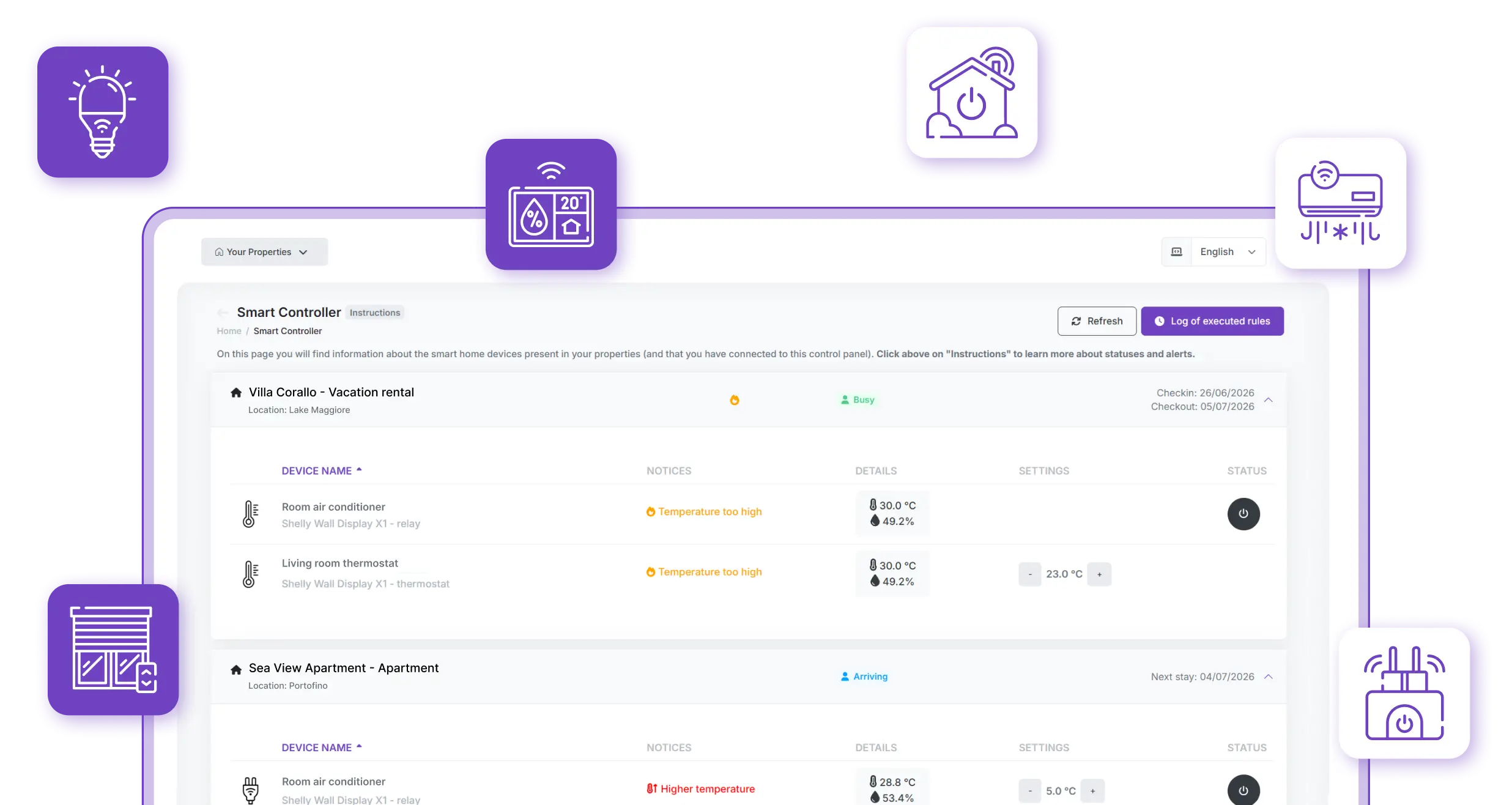
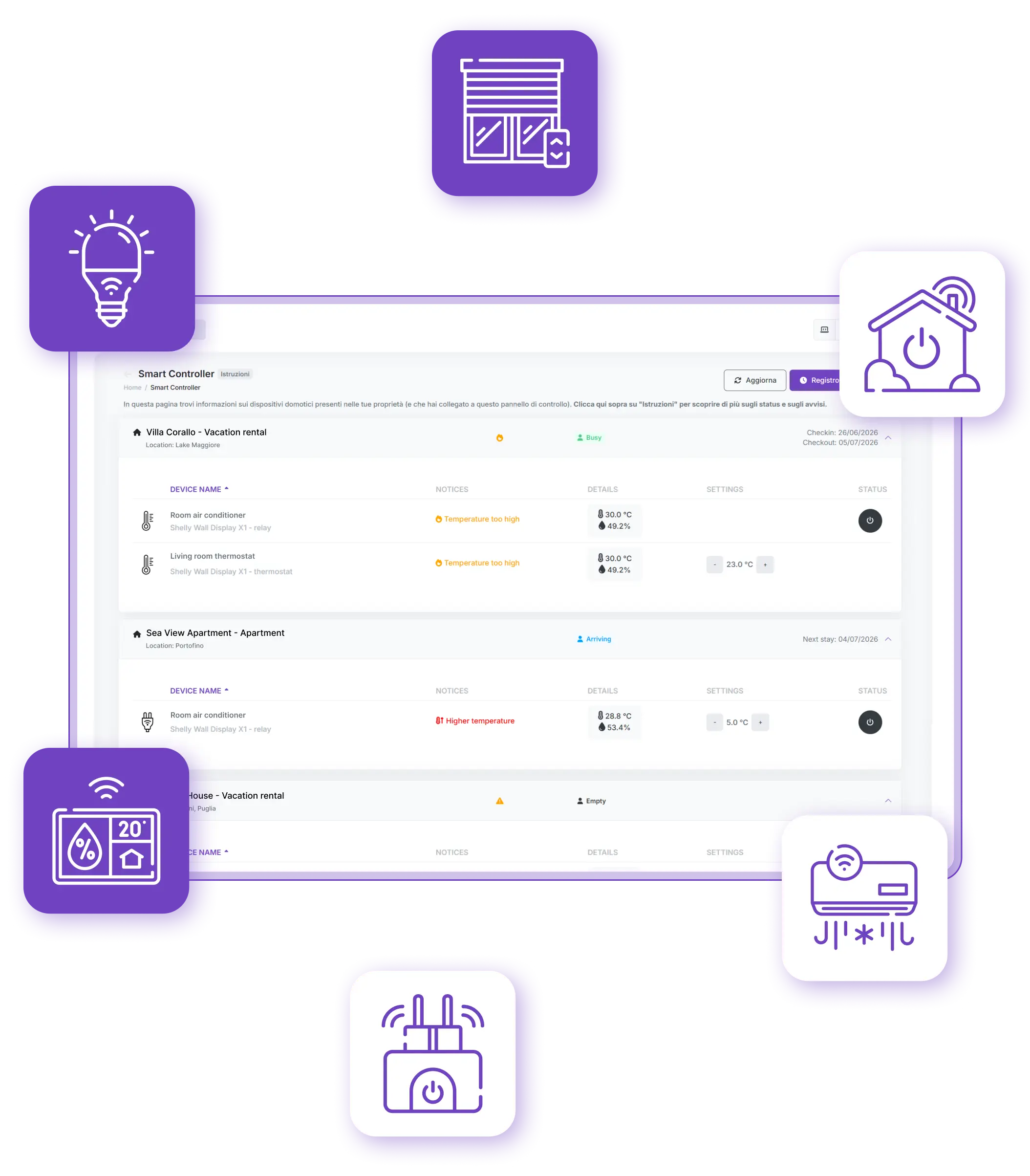
A single page to control every Shelly device in real time, without opening different apps or switching screens.
Essential information
Notifications for offline devices, threshold alerts and situations that require checking, based on occupancy status.
Automatic adjustments
Lights, switches and temperature controls are managed automatically based on check-in and check-out, without manual intervention.
Zero Waste
Air conditioning and heating follow the rules you choose, reducing energy consumption before check-in and after check-out.
You won’t have to remember to turn on the air conditioning or heating before your guests arrive, or turn them off after check-out.
Smart Controller will do it for you.
Automation that does the work for you
Connect your PMS to Smart Controller and set the rules just once.
Heating, air conditioning, lights and other devices are automatically adjusted based on check-in and check-out times.
Before check-in
Thermostats adjust automatically. You decide how long it takes to reach the right temperature.
During the stay
Comfort guaranteed for your guests. Check the status of every room in real time.
After check-out
Automatic adjustments and shutdowns: save energy without manual intervention.
Setup is easier than you think
Connect your Shelly devices
In the NAVOO Console, create your properties — apartments, holiday rentals, rooms and more — and connect your existing Shelly devices: switches, relays, lights, thermostats and sensors.
Create your automatic rules
For each Shelly device, decide what should happen, how it should behave and when, based on check-in and check-out times.
Connect your PMS
Reservation dates are automatically synced and used to apply the automation rules.
Monitor everything from a single page
View the status of each device in real time: power, settings, connection and alerts. Get an at-a-glance view of all your properties and their occupancy status, wherever you are, even from your smartphone.
Connect your Shelly devices
In the NAVOO Console, create your properties — apartments, holiday rentals, rooms and more — and connect your existing Shelly devices: switches, relays, lights, thermostats and sensors.
Create your automatic rules
For each Shelly device, decide what should happen, how it should behave and when, based on check-in and check-out times.
Connect your PMS
Reservation dates are automatically synced and used to apply the automation rules.
Monitor everything from a single page
View the status of each device in real time: power, settings, connection and alerts. Get an at-a-glance view of all your properties and their occupancy status, wherever you are, even from your smartphone.
The information you need
Discover compatible Shelly devices, learn how to use the NAVOO Console and choose the plan that best suits your property.
Shelly devices for every room in your property: switches, lights, thermostats and sensors.
Console and integrations
The control panel that lets you manage devices, create automation rules and connect your PMS.
Plans and subscriptions
A flexible subscription tailored to your needs, which you can activate and pause whenever you want.
Start managing your Shelly devices automatically and keep everything under control in the NAVOO Console.
- No initial activation fee
- Configure and update with just a few clicks
- Flexible monthly subscription: pause and reactivate it at any time